Browser-Based Remote Access Is Great, Until It Is Your Only Option
Ben Burke, President
Ben Burke, President
Jul 14, 2026
Jul 14, 2026
min read
min read
min read
Article
Article

Key Takeaway: Browser-based OT remote access is fast for read-only tasks and standard protocols like RDP and SSH, but it can't reach legacy controllers, proprietary engineering software, or high-risk sessions needing oversight. Teams typically cover those gaps with VDI or jump servers — recreating the tool sprawl the "simple" solution was meant to avoid. The fix: match the connection method to the role and risk from the start.
There’s a reason browser-based OT remote access took off, and I’m a fan of it. You send someone a link, they click it, and they’re in — no client to install, no agent to push onto a plant that hasn’t been touched in a decade, no procurement cycle for endpoint software. For a contractor checking a dashboard or an engineer pulling up a web HMI from home, it’s clean and fast. It’s one of the most popular ways our own customers connect, and for good reason.
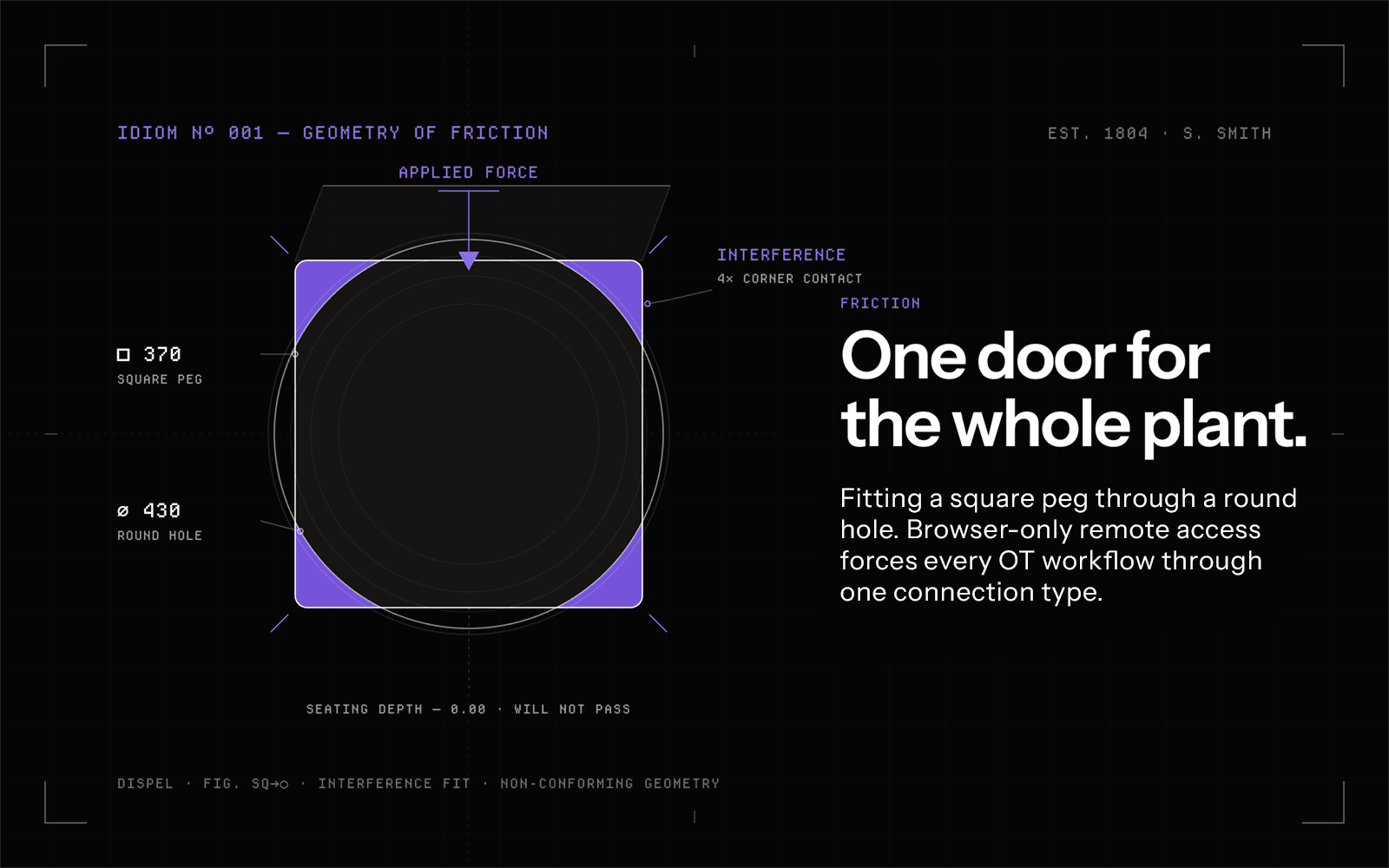
To be clear, this isn’t an argument against browser-based access. It’s an argument about what happens when it’s the only thing your vendor sells. There’s a real difference between a platform that offers browser access as one connection method and a vendor whose entire product is browser-based secure remote access. The first gives you a fast lane for the work that suits it. The second hands you one door and asks the whole plant to fit through it.
That’s where the trouble starts — not with the browser, but with browser-only. The moment a use case doesn’t fit through that one door, a browser-only vendor has no answer for it, and you’re left to build the answer yourself. Do that enough times and the “simple” tool you bought to cut complexity has quietly multiplied it: more tools, more workarounds, slower work. The ceiling you couldn’t see when you signed becomes the tool sprawl — and the lost efficiency coupled with increased cyber risk — you live with later.
Where Browser-Only Starts to Strain
Let me tell you about one of our customers — I’ll keep them anonymous, but the scene is real. A manufacturer rolled out a browser-only tool because it was easy, and for the first few weeks it was. Operators pulled up dashboards from home. A contractor checked a reading over the weekend without anyone driving to the site. Everyone was happy. Then the real work showed up.
A vendor came in to commission a drive and needed to use an OEM application— the browser tool couldn’t broker it. The engineer needed a connection running Rockwell FactoryTalk, and there’s no browser tab that accommodates that. One of their controllers was thirty years old and spoke a proprietary protocol nothing web-based was ever going to touch. And then, another example that surprised even me: a web-based HMI sitting behind an HTTPS login + “open in new window” extension — an actual browser page — and their current browser tool couldn’t open a clean session to it. The engineer’s line stuck with me: it was a browser tool that couldn’t reach half of their browsers.
That’s the moment browser-only stops being simple. OT isn’t a web app. A working plant is a pile of protocols and tools that were never built for a browser tab — legacy controllers, proprietary engineering software, and high-risk changes where someone senior needs to watch over the operator’s shoulder while they act. A browser-only tool handles a thin slice of that well and quietly punts on the rest.
And here’s what actually happens when a tool can’t reach something: the work doesn’t stop. It routes around the tool. That routing-around is where the real cost hides.
The Hidden Cost: How “Simple and Cheap” Becomes Tool Sprawl
I’ve watched this pattern play out more than once. Here’s the composite version.
A team picks a browser-only product because it’s simple and cheap to start. Good instinct. Then they begin onboarding real use cases and discover that a large share of them — in one midstream operator’s case, roughly 60% — need web or application connections the browser tool can’t broker. So they do the reasonable thing: they stand up Citrix or a rack of jump servers to cover the gap. Then another gap, another workaround. Six months on they’re running the browser tool plus VDI plus jump hosts plus the firewall rules holding it all together — the exact sprawl they adopted a “simple” tool to avoid. The cheap start became the expensive middle.
The problem was never the browser. The problem was forcing every workflow through one door because that’s the only door the tool had.
The Reframe: Match The Connection to the Job & Risk, Not the Other Way Around
The better question isn’t “browser or VDI.” It’s “what does this role actually need to do, and how much risk is in it?” A contractor checking a read-only dashboard and an engineer pushing new logic to a controller are not the same session, and they shouldn’t be squeezed through the same pipe.
That’s why the Dispel Zero Trust Engine ships a Tiered Connection Suite — three connection methods under one platform, so you match the method to the role and the risk instead of stretching one tool past its limits.
Browser Connect — point-and-click access, no client install. RDP, SSH, VNC, and yes, multi-window HTTPS — the one many browser tools still don’t do well. File transfer in both directions, and session recording with over-the-shoulder visibility for as many concurrent observers as you want watching a high-risk change. It scales to unlimited concurrent users rather than a seat count capped by appliance hardware. Every session runs through a disposable, single-use intermediary that’s destroyed the moment the session ends, with inactivity timeouts and hard session limits so nothing stays open after the work is done. We’ve kept investing in this connection method specifically because it’s where most competitors stopped.
Virtual Desktop — the engineering workstation for the hard stuff. This is our recommended default when security posture or customizability matters most. It reaches the legacy and 30-year-old OT devices standard browser protocols can’t, and it’s purpose-built for proprietary engineering tools — Rockwell FactoryTalk, ABB, Mitsubishi GX Works, Siemens TIA Portal. Bespoke golden images, on-demand scaling, the same disposable single-use intermediary and session recording. This is the connection method a pure browser product simply doesn’t have — which is exactly why its customers end up bolting VDI on themselves.
Local Application — for legacy systems and custom tooling. A lightweight client that runs a device posture check before it ever connects. It’s how you handle contractors whose software has to stay locked to their own machines, and internal users who need access to legacy systems or custom applications.
Same platform. Same access controls, the same logging, the same governance across all three. You’re not stitching tools together — you’re choosing a lane.
One Platform, Whatever It Connects To
Underneath all three tiers is the same reach: 65,000+ TCP/IP protocols, from SSH, RDP, and VNC to the proprietary engineering protocols OT actually runs on. Our rule of thumb is simple — if it has an IP address, we can help you connect to it. That’s the difference between a tool that covers a slice of your environment and a platform that covers the environment.
The Bottom Line
Browser-only access isn’t wrong. It’s partial. If your OT footprint is genuinely simple and going to stay that way, a lightweight browser tool might be all you ever need. But if you run real plants — legacy gear, engineering tools, outside vendors, high-risk changes — the simple tool has a ceiling, and the cost of that ceiling is the pile of workarounds you build on top of it. Better to match the connection to the work from day one, in one platform, than to rebuild your way there a jump server at a time.
See it for yourself. Every connection method — Browser Connect, Virtual Desktop, and Local Application — in a single walkthrough. Book a 20-minute demo →
Frequently Asked Questions
Is browser-based OT remote access enough on its own?
For simple, internal, browser-friendly tasks, it’s a good fit. It runs into limits when you need to reach legacy protocols, proprietary engineering tools, or run high-risk sessions — the cases that push teams to bolt on VDI and jump servers. Matching the connection method to the task avoids that.
What’s the difference between clientless browser access and VDI for OT?
Clientless browser access (like Browser Connect) is the fast path for standard protocols — RDP, SSH, VNC, and HTTPS — with no software to install. A virtual desktop (like Dispel’s Virtual Desktop) is a full engineering workstation for complex or legacy OT workflows and proprietary tools that browser protocols can’t reach. Strong platforms offer both and let you choose per role.
Can browser-based OT remote access handle legacy protocols and 30-year-old devices?
Often not on its own. Many older OT devices and proprietary engineering applications can’t be reached through standard browser protocols, which is why a virtual desktop or local application tier is needed alongside browser access.
Ready to Simplify OT Secure Remote Access?
See how Dispel helps industrial teams standardize connectivity and protect critical environments—without added complexity.
Key Takeaway: Browser-based OT remote access is fast for read-only tasks and standard protocols like RDP and SSH, but it can't reach legacy controllers, proprietary engineering software, or high-risk sessions needing oversight. Teams typically cover those gaps with VDI or jump servers — recreating the tool sprawl the "simple" solution was meant to avoid. The fix: match the connection method to the role and risk from the start.
There’s a reason browser-based OT remote access took off, and I’m a fan of it. You send someone a link, they click it, and they’re in — no client to install, no agent to push onto a plant that hasn’t been touched in a decade, no procurement cycle for endpoint software. For a contractor checking a dashboard or an engineer pulling up a web HMI from home, it’s clean and fast. It’s one of the most popular ways our own customers connect, and for good reason.
To be clear, this isn’t an argument against browser-based access. It’s an argument about what happens when it’s the only thing your vendor sells. There’s a real difference between a platform that offers browser access as one connection method and a vendor whose entire product is browser-based secure remote access. The first gives you a fast lane for the work that suits it. The second hands you one door and asks the whole plant to fit through it.
That’s where the trouble starts — not with the browser, but with browser-only. The moment a use case doesn’t fit through that one door, a browser-only vendor has no answer for it, and you’re left to build the answer yourself. Do that enough times and the “simple” tool you bought to cut complexity has quietly multiplied it: more tools, more workarounds, slower work. The ceiling you couldn’t see when you signed becomes the tool sprawl — and the lost efficiency coupled with increased cyber risk — you live with later.
Where Browser-Only Starts to Strain
Let me tell you about one of our customers — I’ll keep them anonymous, but the scene is real. A manufacturer rolled out a browser-only tool because it was easy, and for the first few weeks it was. Operators pulled up dashboards from home. A contractor checked a reading over the weekend without anyone driving to the site. Everyone was happy. Then the real work showed up.
A vendor came in to commission a drive and needed to use an OEM application— the browser tool couldn’t broker it. The engineer needed a connection running Rockwell FactoryTalk, and there’s no browser tab that accommodates that. One of their controllers was thirty years old and spoke a proprietary protocol nothing web-based was ever going to touch. And then, another example that surprised even me: a web-based HMI sitting behind an HTTPS login + “open in new window” extension — an actual browser page — and their current browser tool couldn’t open a clean session to it. The engineer’s line stuck with me: it was a browser tool that couldn’t reach half of their browsers.
That’s the moment browser-only stops being simple. OT isn’t a web app. A working plant is a pile of protocols and tools that were never built for a browser tab — legacy controllers, proprietary engineering software, and high-risk changes where someone senior needs to watch over the operator’s shoulder while they act. A browser-only tool handles a thin slice of that well and quietly punts on the rest.
And here’s what actually happens when a tool can’t reach something: the work doesn’t stop. It routes around the tool. That routing-around is where the real cost hides.
The Hidden Cost: How “Simple and Cheap” Becomes Tool Sprawl
I’ve watched this pattern play out more than once. Here’s the composite version.
A team picks a browser-only product because it’s simple and cheap to start. Good instinct. Then they begin onboarding real use cases and discover that a large share of them — in one midstream operator’s case, roughly 60% — need web or application connections the browser tool can’t broker. So they do the reasonable thing: they stand up Citrix or a rack of jump servers to cover the gap. Then another gap, another workaround. Six months on they’re running the browser tool plus VDI plus jump hosts plus the firewall rules holding it all together — the exact sprawl they adopted a “simple” tool to avoid. The cheap start became the expensive middle.
The problem was never the browser. The problem was forcing every workflow through one door because that’s the only door the tool had.
The Reframe: Match The Connection to the Job & Risk, Not the Other Way Around
The better question isn’t “browser or VDI.” It’s “what does this role actually need to do, and how much risk is in it?” A contractor checking a read-only dashboard and an engineer pushing new logic to a controller are not the same session, and they shouldn’t be squeezed through the same pipe.
That’s why the Dispel Zero Trust Engine ships a Tiered Connection Suite — three connection methods under one platform, so you match the method to the role and the risk instead of stretching one tool past its limits.
Browser Connect — point-and-click access, no client install. RDP, SSH, VNC, and yes, multi-window HTTPS — the one many browser tools still don’t do well. File transfer in both directions, and session recording with over-the-shoulder visibility for as many concurrent observers as you want watching a high-risk change. It scales to unlimited concurrent users rather than a seat count capped by appliance hardware. Every session runs through a disposable, single-use intermediary that’s destroyed the moment the session ends, with inactivity timeouts and hard session limits so nothing stays open after the work is done. We’ve kept investing in this connection method specifically because it’s where most competitors stopped.
Virtual Desktop — the engineering workstation for the hard stuff. This is our recommended default when security posture or customizability matters most. It reaches the legacy and 30-year-old OT devices standard browser protocols can’t, and it’s purpose-built for proprietary engineering tools — Rockwell FactoryTalk, ABB, Mitsubishi GX Works, Siemens TIA Portal. Bespoke golden images, on-demand scaling, the same disposable single-use intermediary and session recording. This is the connection method a pure browser product simply doesn’t have — which is exactly why its customers end up bolting VDI on themselves.
Local Application — for legacy systems and custom tooling. A lightweight client that runs a device posture check before it ever connects. It’s how you handle contractors whose software has to stay locked to their own machines, and internal users who need access to legacy systems or custom applications.
Same platform. Same access controls, the same logging, the same governance across all three. You’re not stitching tools together — you’re choosing a lane.
One Platform, Whatever It Connects To
Underneath all three tiers is the same reach: 65,000+ TCP/IP protocols, from SSH, RDP, and VNC to the proprietary engineering protocols OT actually runs on. Our rule of thumb is simple — if it has an IP address, we can help you connect to it. That’s the difference between a tool that covers a slice of your environment and a platform that covers the environment.
The Bottom Line
Browser-only access isn’t wrong. It’s partial. If your OT footprint is genuinely simple and going to stay that way, a lightweight browser tool might be all you ever need. But if you run real plants — legacy gear, engineering tools, outside vendors, high-risk changes — the simple tool has a ceiling, and the cost of that ceiling is the pile of workarounds you build on top of it. Better to match the connection to the work from day one, in one platform, than to rebuild your way there a jump server at a time.
See it for yourself. Every connection method — Browser Connect, Virtual Desktop, and Local Application — in a single walkthrough. Book a 20-minute demo →
Frequently Asked Questions
Is browser-based OT remote access enough on its own?
For simple, internal, browser-friendly tasks, it’s a good fit. It runs into limits when you need to reach legacy protocols, proprietary engineering tools, or run high-risk sessions — the cases that push teams to bolt on VDI and jump servers. Matching the connection method to the task avoids that.
What’s the difference between clientless browser access and VDI for OT?
Clientless browser access (like Browser Connect) is the fast path for standard protocols — RDP, SSH, VNC, and HTTPS — with no software to install. A virtual desktop (like Dispel’s Virtual Desktop) is a full engineering workstation for complex or legacy OT workflows and proprietary tools that browser protocols can’t reach. Strong platforms offer both and let you choose per role.
Can browser-based OT remote access handle legacy protocols and 30-year-old devices?
Often not on its own. Many older OT devices and proprietary engineering applications can’t be reached through standard browser protocols, which is why a virtual desktop or local application tier is needed alongside browser access.
Ready to Simplify OT Secure Remote Access?
See how Dispel helps industrial teams standardize connectivity and protect critical environments—without added complexity.
Recent Articles


Recent Articles
Products
Industries
New
Resources
Products
Industries
New
Resources
Products
Industries
New
Resources